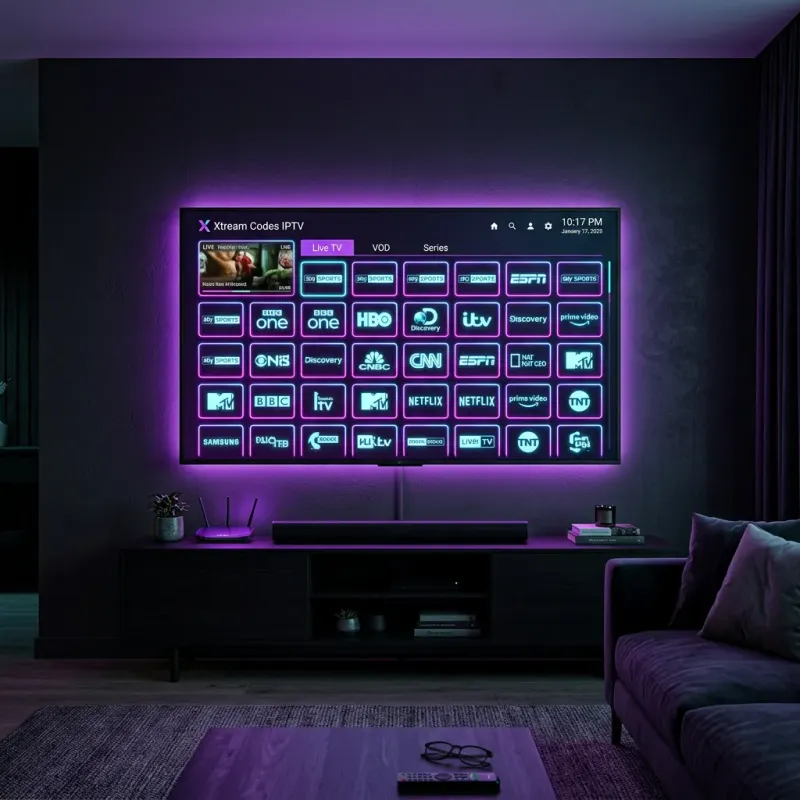
If you typed "xtream codes" or "xtream codes iptv" into Google, you already know the short version: this is how a lot of people stream live TV without a cable box. The longer version is more useful. Xtream Codes IPTV is a paid service that hands you three login fields (server URL, username, password), you paste them into a player app, and you get live channels plus a big VOD library. No set-top rental. No technician. No 12-month contract.
This page is the practical guide I wish I had when I first set it up. What the product is, how the Xtream Codes API login actually works, which apps people use, what the channel count means in real life, and how to try it for 24 hours before you spend anything.
What Xtream Codes IPTV actually is
Xtream Codes started as a panel system for IPTV providers. Over time, "xtream codes" became the common name for the login method itself: three fields instead of a fragile M3U playlist URL. When people search for xtream codes iptv, they usually want a working service that still uses that login style, not a history lesson about the original panel software.
On this site, Xtream Codes is the service brand. You subscribe (or take the free trial), we email credentials, and you stream. The package looks like this in plain numbers:
- 24,000+ live channels across sports, news, entertainment, and international packs
- 85,000+ movies on demand
- 12,000+ TV series with seasons and episodes
- 4K / FHD / HD streams where the source supports them
- Anti-freeze routing during peak events (big games, PPVs, season finales)
- Multi-device support: Firestick, Android, Smart TV apps, iOS, Windows, Mac, MAG
If you want the brand overview in marketing form, the Xtream Codes homepage covers plans and the trial CTA. This article is the operator view: how the login works and what to expect after you press play.
How Xtream Codes login works (the three fields)
Almost every player that supports the API asks for the same three values. Your welcome email lists them exactly. Copy-paste carefully. Case matters on the password.
- Server URL (sometimes labeled Host or Portal). Looks like
http://example.domain:portor a secure HTTPS host. No trailing slash drama if you paste the full string as sent. - Username. Usually a short alphanumeric string tied to your account and connection limit.
- Password. Separate from your website account password. This is the stream password only.
In IPTV Smarters Pro, TiviMate, XCIPTV, and most Firestick apps, the flow is: add playlist, choose Xtream Codes API (not M3U URL), paste the three fields, name the profile, then load. First load can take 30 to 90 seconds while the EPG and channel groups build. That is normal, not a broken account.
If login fails, 90% of the time it is one of four things: a space at the end of the username, wrong protocol (http vs https), expired trial credentials, or the player stuck on an old M3U method. Our xtream server login guide walks through those fixes with screenshots-level detail.
Xtream Codes vs M3U playlists
People still confuse the two. M3U is a plain playlist file (or remote URL) that lists stream links. It works, but it breaks when the provider rotates URLs, and EPG can be a mess. Xtream Codes API is a structured login: the player talks to the panel, pulls categories, VOD, and EPG in a cleaner way, and updates when the provider updates the backend.
For day-to-day use, the API path is simply less fragile. That is why most modern guides (including ours) push Xtream Codes login first and treat M3U as a fallback. Full comparison: M3U vs Xtream Codes API.
What you can watch day to day
Channel counts get inflated across the industry. Here is how to read ours without the hype.
Sports: major US, UK, and international packages. Think ESPN-style sports nets, Sky Sports style UK packs, beIN, DAZN-adjacent coverage, fight PPVs, and league-specific channels when they are available. For live event timing, use the IPTV schedule tonight pages (NBA, NFL, UFC, soccer, etc.).
Entertainment and movies: premium-style entertainment nets plus a VOD wall. New movies land after theatrical windows; series often include full seasons so you are not stuck on episode 1 of season 4.
News and international: CNN/BBC-style news plus country packs (US, UK, Canada, Europe, Middle East, Latin America, Asia). If you moved countries and still want home channels, this is usually the reason people switch from local cable.
Browse the structured list on the channels page before you buy. If a specific niche pack matters to you (Arabic, South Asian, Portuguese), check that list first rather than trusting a generic "24k channels" claim from any provider.
Best apps and devices for Xtream Codes IPTV
You do not install "the Xtream Codes app" as a single official store app. You install a player, then log in with your credentials. Common pairings:
- Amazon Fire TV Stick / Fire Cube: IPTV Smarters Pro, TiviMate (via sideload), XCIPTV. See the full walkthrough: how to set up Xtream Codes on Firestick.
- Android phones and boxes: IPTV Smarters, TiviMate, GSE Smart IPTV.
- Smart TVs: use a player from the TV app store when available, or cast/AirPlay from a phone, or put a cheap Firestick on the HDMI port (most reliable option on older TVs).
- iPhone / iPad: GSE or similar players that still accept Xtream Codes fields.
- Windows / Mac: desktop players or a browser-based option when your plan supports it.
We keep a living comparison of player apps here: best IPTV apps for Xtream Codes 2026. If you only want one recommendation for a living-room Firestick, start with IPTV Smarters Pro. It is not the most advanced UI, but the login screen matches the three fields exactly and fails less often for first-time users.
Pricing, connections, and the free 24-hour trial
Plans scale by duration and simultaneous connections. Short plans cost more per month; longer plans drop the monthly rate. Extra connections matter if two rooms watch different channels at the same time. Full matrix lives on the pricing page.
If you are not ready to pay, take the free 24-hour trial. No credit card. You get real credentials, full channel access for a day, and enough time to test your Wi-Fi, your Firestick, and a live game if one is on. That is the cleanest way to answer "does xtream codes iptv work on my setup?" without guessing.
After the trial, keep the same player profile and only swap the username/password when your paid credentials arrive. You should not need to reinstall anything.
Common problems (and the fix that usually works)
- Buffering on Wi-Fi: move the Firestick to 5 GHz, or use a cheap Ethernet adapter. 25 Mbps stable is enough for HD; 4K wants more headroom.
- Empty channel list: wrong login method (M3U selected instead of Xtream Codes API). Delete the profile and re-add with the API option.
- EPG missing: wait for the first full load, or force a playlist reload in the player settings.
- One device works, another does not: connection limit reached. Log out of an idle device or upgrade connections on your plan.
- Random freezes on big events: restart the player, not the whole house router first. If freezes continue, check our troubleshooting guide.
FAQ: Xtream Codes IPTV
Is Xtream Codes the same as every random "xtreamcode" site?
No. "Xtream Codes" is both a login method and, on this domain, our service name. Random panels and resellers reuse the same three-field login. Quality varies wildly. Look at trial policy, support response time, and whether the provider publishes a real channel list before you pay a year up front.
Do I need a VPN?
Many users run fine without one. Some ISPs throttle long UDP/TCP streams. If your speed tests look fine but streams stutter only on IPTV, try a reputable VPN or switch DNS to 1.1.1.1 / 8.8.8.8 and retest. VPN is a tool, not a magic fix for a weak Wi-Fi hop.
Can I use the same account on phone and TV?
Yes, within your connection limit. One connection = one active stream. Two connections = TV + phone at the same time. Check the plan details on pricing before game day so you are not locked out mid-match.
How fast is activation?
Paid plans usually activate within minutes after payment confirmation. Trial credentials land by email after the form is reviewed. If nothing shows up in 15 minutes, check spam, then contact support with the email you used on the form.
Next steps
If you only needed a definition: Xtream Codes IPTV is live TV + VOD delivered over the internet, unlocked with a three-field API login. If you want to actually watch something tonight, do this in order:
- Start the 24-hour free trial
- Install a player (Firestick guide linked above)
- Log in with the three fields from your email
- Test one live sports channel and one VOD title
- If it holds for an hour, pick a plan on pricing
Still stuck on the server URL or "authorization failed" errors? Jump to the xtream server login and setup guide. That page is built for the login screen, not the sales pitch.